Clio Grow + AnswerConnect.

Your intake pipeline: now working around the clock.

Trustpilot
Clio Grow AnswerConnect Integration Logo
2026 Best Answering Service voted by
Forbes banner
Lawyers looking at tablet in office

What is the Clio Grow–AnswerConnect integration?

Clio Grow is Clio's client intake and legal CRM software, designed to help law firms capture leads, manage their intake process, automate follow-ups, and turn more prospects into clients.

AnswerConnect makes sure a real, professional receptionist answers every call, any time of day or night. Each call your receptionists take goes straight to your Clio Grow Lead Inbox.

Seamless connection.

The AnswerConnect + Clio Grow integration gives you the power to communicate across platforms with just a click.

To explore how AnswerConnect and Clio Grow work together, try now.
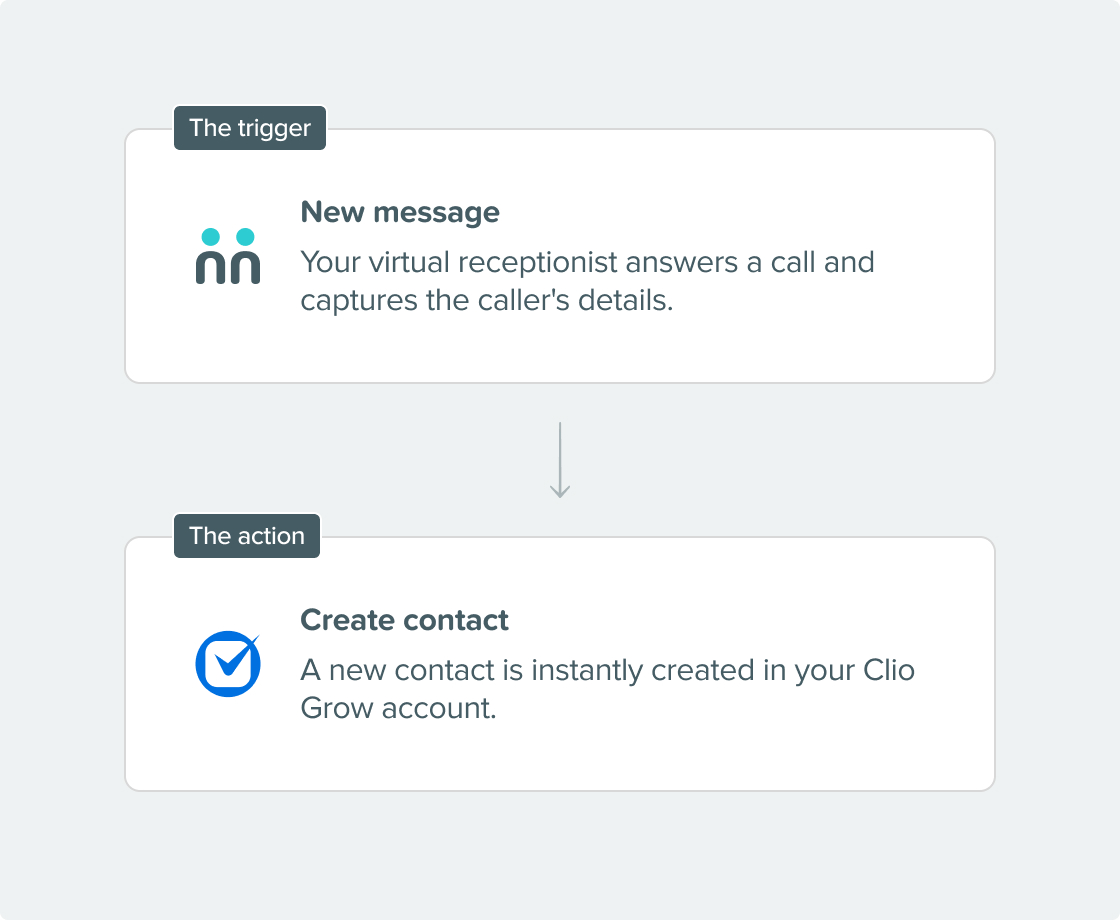
seamless connection AnswerConnect Clio Grow

Why integrate?

Every lead straight into your intake pipeline

When every call your firm gets goes directly into your Lead Inbox automatically, accurately, and in real time, you'll always have a full view of every prospect in your pipeline, even those who called after hours.

Respond faster when it matters most

When a prospect’s details appear in Clio Grow as soon as they call, your team can take the next step right away. Acting quickly helps you turn more prospects into clients.

Close the gap between phone calls and follow up

Phone calls often end up as messages waiting to be entered by hand. With this integration, your phone leads are handled just as quickly and efficiently as your online leads.

Get 24/7 intake – not just call answering

AnswerConnect takes calls any time, while Clio Grow tracks each lead and automates follow-up. Working together, they keep your intake pipeline active and organized at all times.

See how clients find you

Clio Grow’s reports show which lead sources bring in the most clients. When AnswerConnect sends phone leads straight to Clio Grow, those calls are included in your data.

Get connected in three simple steps.

step-1

Choose your integration.

Find Clio Grow under Integrations in your AnswerConnect app.

step-2

Activate it.

Enter your Clio Grow credentials to connect your accounts directly.

step-3

You're live.

Every call your receptionists answer will automatically create a new lead in your Clio Grow Lead Inbox, with contact details and intake notes ready to go.

AnswerConnect Icon

Already a customer?

Activate the integration now from your app.

Your questions answered.

Can't find the answer to your question? Call us now: 800-700-8888 or email us at sales@answerconnect.com

What is Clio Grow?

Clio Grow is Clio's client intake and legal CRM software. It helps law firms capture leads, manage their intake pipeline, automate client follow-up, send online intake forms, collect e-signatures, and track where new clients are coming from — all from one platform. It works as a standalone product and integrates seamlessly with Clio Manage for firms that use both.

Is this the same as integrating with Clio Manage?

No. Clio Grow and Clio Manage are separate products. This integration connects AnswerConnect specifically with Clio Grow — meaning call leads land in your Lead Inbox and Matter Pipeline, where intake is managed. If your firm uses both Clio Grow and Clio Manage, data flows between the two platforms as usual once a prospect is retained.

Do I need a Clio Grow account to use this integration?

Yes. You'll need an active Clio Grow account and an AnswerConnect account. No additional tools are required.

What information gets sent to Clio Grow?

When your AnswerConnect receptionist handles a call, the caller's name, phone number, and intake notes are passed directly to Clio Grow as a new lead record.

Can I customise what information my receptionists collect?

Yes. We'll work with you to ensure our receptionists gather the intake details that matter to your firm — practice area, nature of the enquiry, urgency, and any other information you want captured before a lead enters your pipeline.

Can information flow back from Clio Grow to AnswerConnect?

Currently, the integration is one-way—from AnswerConnect to Clio Grow.

I'm already an AnswerConnect customer. How do I activate this?

In your AnswerConnect app, go to Integrations, and choose Clio Grow. Enter your credentials, and the connection is live. Our support team is on hand if you need any help.

receptionist on call

Start Today

Find the right plan for your business.

By submitting this form you agree to our privacy policy. We may email or call you to follow up. You can opt-out any time.

Learning, Sharing & Giving Back.

These are the values of AnswerConnect. Here is a book we think you might like.

The effortless experience book cover

The Effortless Experience.

Matthew Dixon, Nick Toman & Rick DeLisi

Customers value ease over delight. Reducing friction and effort in every interaction is what drives satisfaction and long-term loyalty.