Lofty + AnswerConnect.
Connect every call to the tools real estate pros already use.




What does the Lofty and AnswerConnect integration do?
Lofty is a CRM and marketing platform made for real estate agents, teams, and brokerages. It helps you capture, nurture, manage, and convert leads into closed deals, all in one place.
When you connect Lofty with AnswerConnect, every call your virtual receptionist takes can trigger an action in Lofty. The caller’s details and message go straight into your Lofty CRM, so you never miss a lead or lose track of a conversation.
Seamless connection.
The AnswerConnect + Lofty integration gives you the power to communicate across platforms with just a click.
To explore how AnswerConnect and Lofty work together, try now through Zapier.
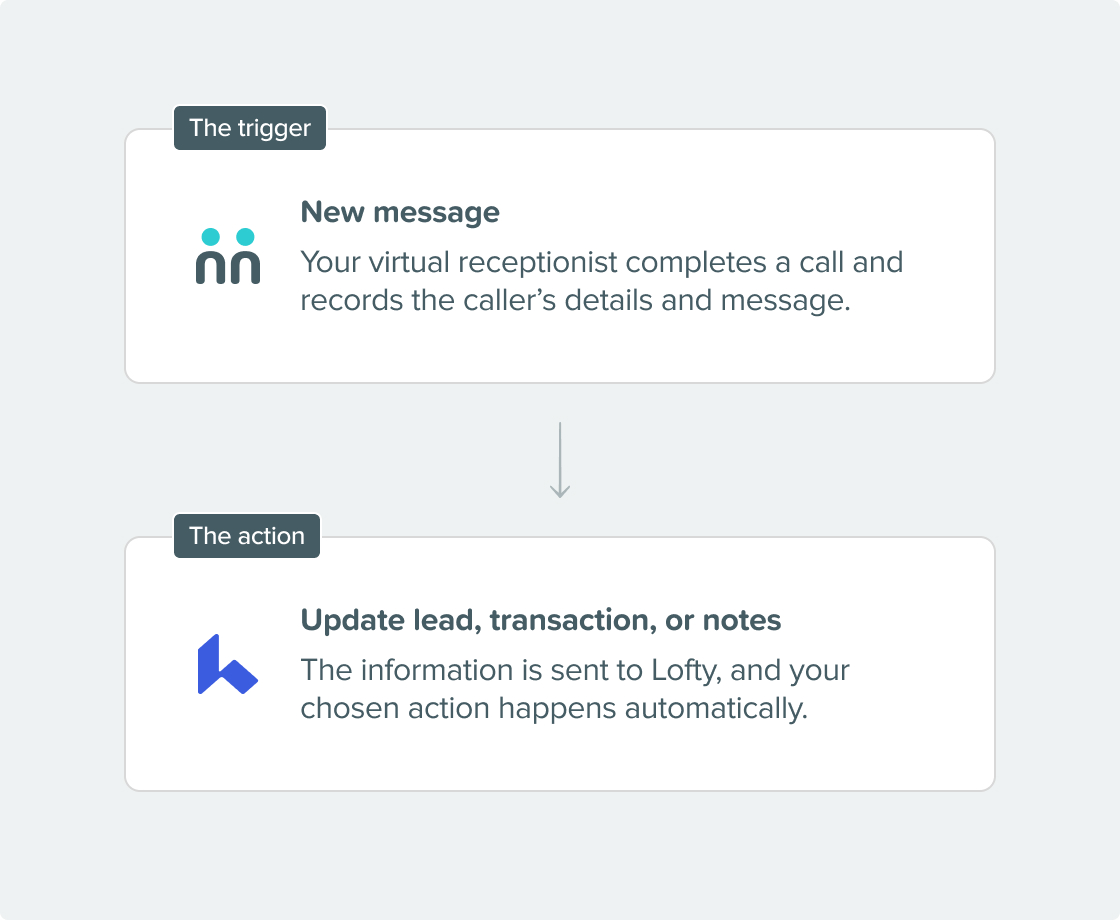

What can the integration do?
- Create or update leads: Add new leads to your Lofty CRM or update existing records instantly to keep your database current.
- Log transactions: Create or update transaction records when prospects move through your sales pipeline or complete key milestones.
- Attach detailed notes: Caller details and receptionist notes go straight to the right fields in Lofty, so you always have full context for every conversation.
- Advanced actions: Use API requests to trigger custom workflows or find specific records in your CRM, all using your call data.
Why integrate?
Get connected in three simple steps.

Get your API Key.
In your Lofty account, visit the Integrations page in your settings and copy your API Key. You’ll need this to connect Lofty to Zapier.

Set up Lofty in Zapier.
In Zapier, select AnswerConnect as your Trigger App and choose “New Message” as the trigger event. Then, add Lofty as your Action App and select the desired action.

Test and publish.
Match the fields collected in your AnswerConnect script to the corresponding fields in Lofty. Test the integration to make sure everything works as expected, then publish it.

Already a customer?
Activate the integration now from your app.
Your questions answered.
Can't find the answer to your question? Call us now: 800-700-8888 or email us at sales@answerconnect.com

Start Today
Find the right plan for your business.
Learning, Sharing & Giving Back.
These are the values of AnswerConnect. Here is a book we think you might like.

Measure What Matters.
John Doerr
Clear goals mean nothing without visibility. When outcomes are defined and tracked, focus sharpens, progress accelerates, and what truly matters gets done.