

You can see a list of your team members in the AnswerConnect App.
- Go to Settings
- Click Your team
- Find a search bar to quickly look up teammates
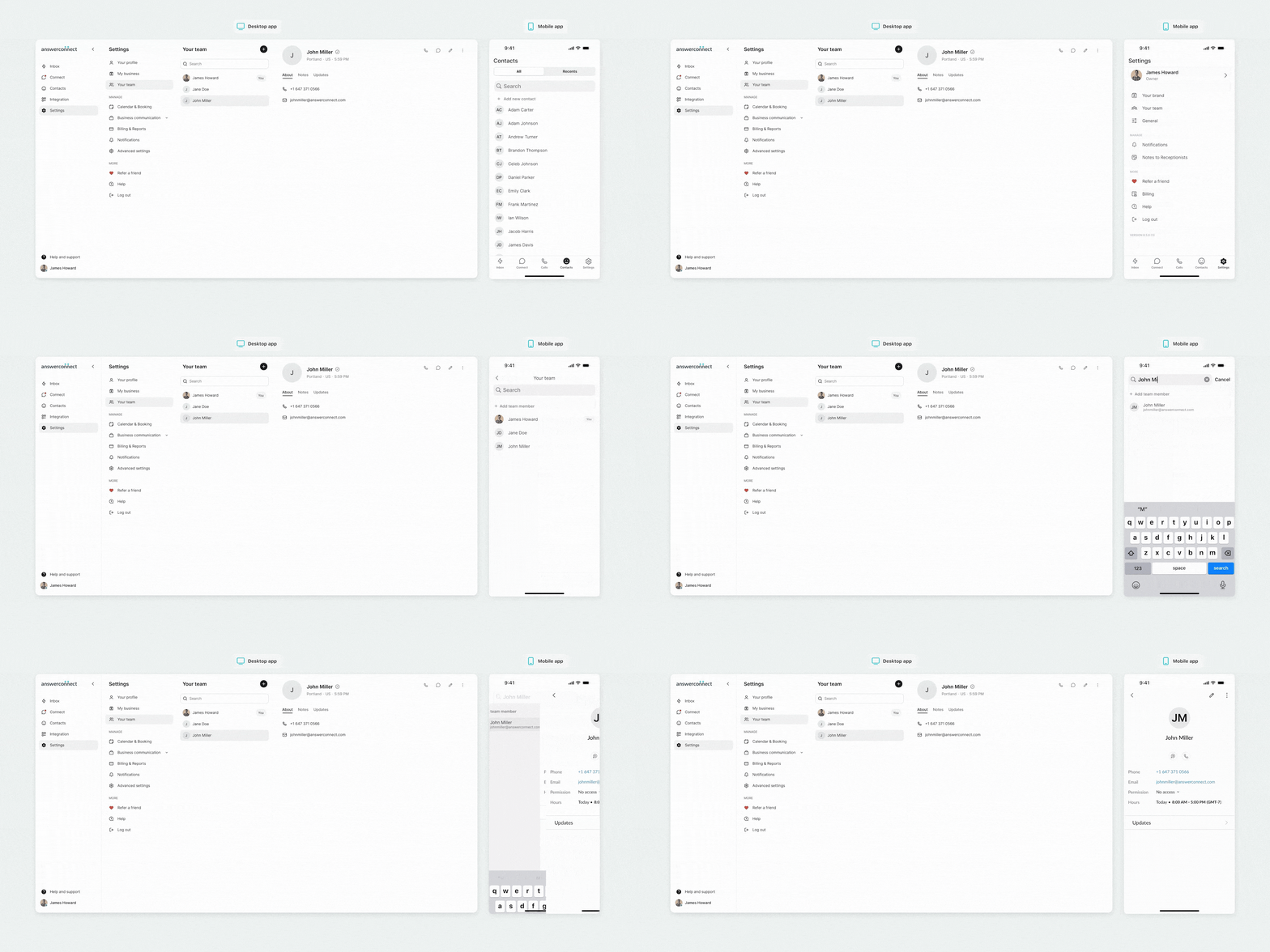
From here you can:
- See each member’s name, role, activity, and status (e.g., Available, In a Meeting)
- Contact your team
Useful tips:
- Only users with the appropriate access level can view or manage account settings.
- Want to add or remove users? Just reach out to your account owner or someone with admin access, and they’ll be able to help.
- Your teammates can update their status, keeping everyone informed and aligned.
Need the mobile app? Download it here for IOS and Android.


Got any questions? Get in touch with our Client Services team today.
US clients: 800-531-5828 | clientservices@answerconnect.com
Canada clients: 800-858-1625 | help@answerconnect.com