

Integrating with Clio allows you to instantly see every client call in one place. Automatically push caller information to the platform, making it easier to manage client communications and keep your records up to date. Learn more about the integration here.
Activating the integration
Activating your Clio integration can be done in a few simple steps:
- Log in to the AnswerConnect app
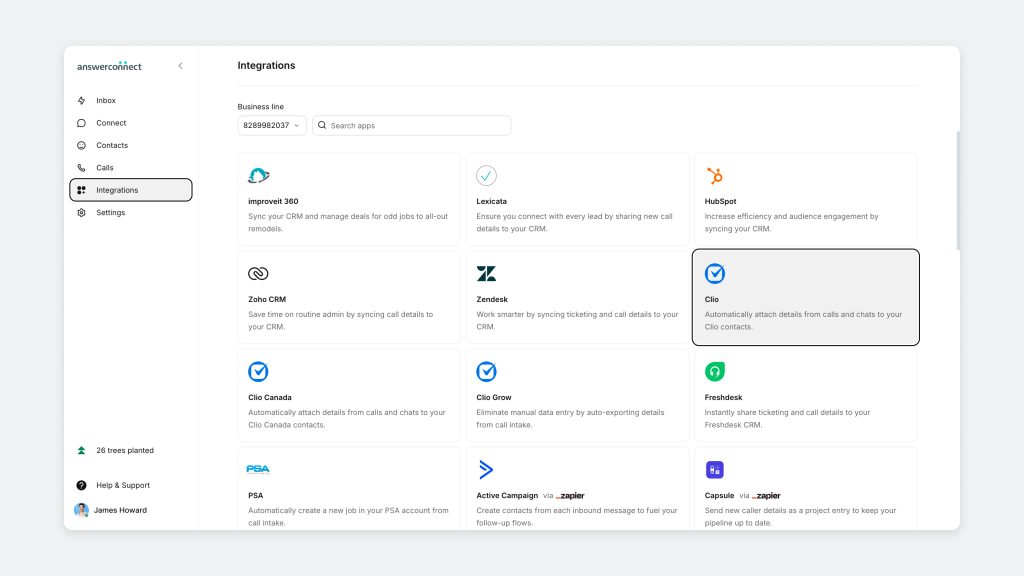
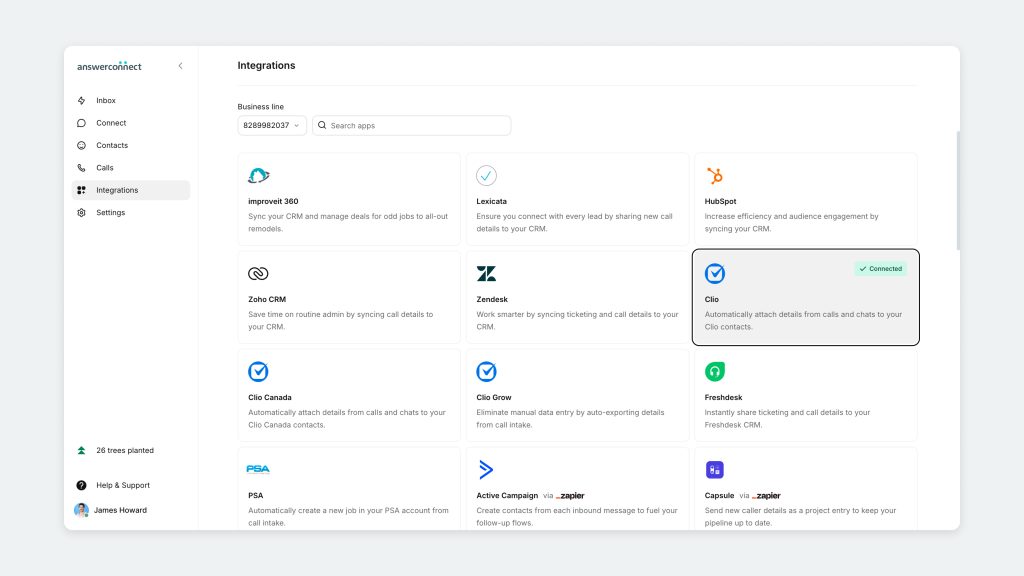
- Select Integrations in the left navigation bar
- Find the Clio integration card, and click it.
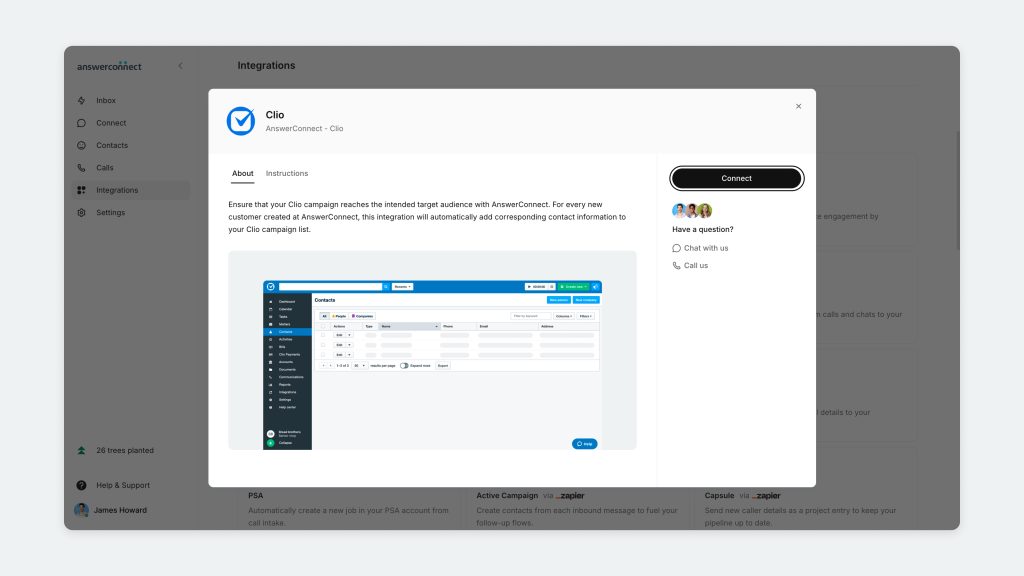
- Press the Connect button on the right-hand side of the Clio details window.
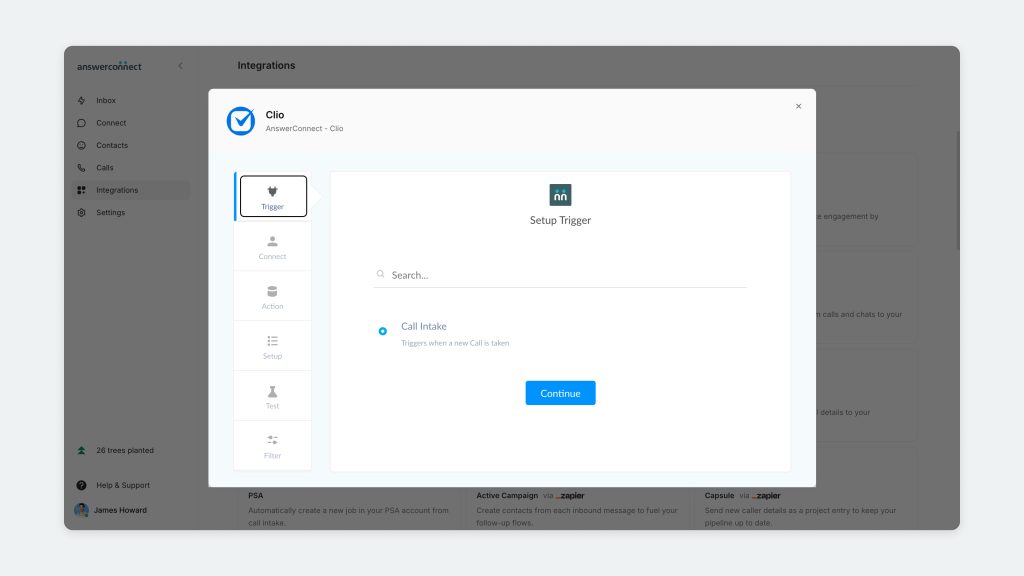
- First, you will select a Trigger. In this instance, you will choose Call Intake.
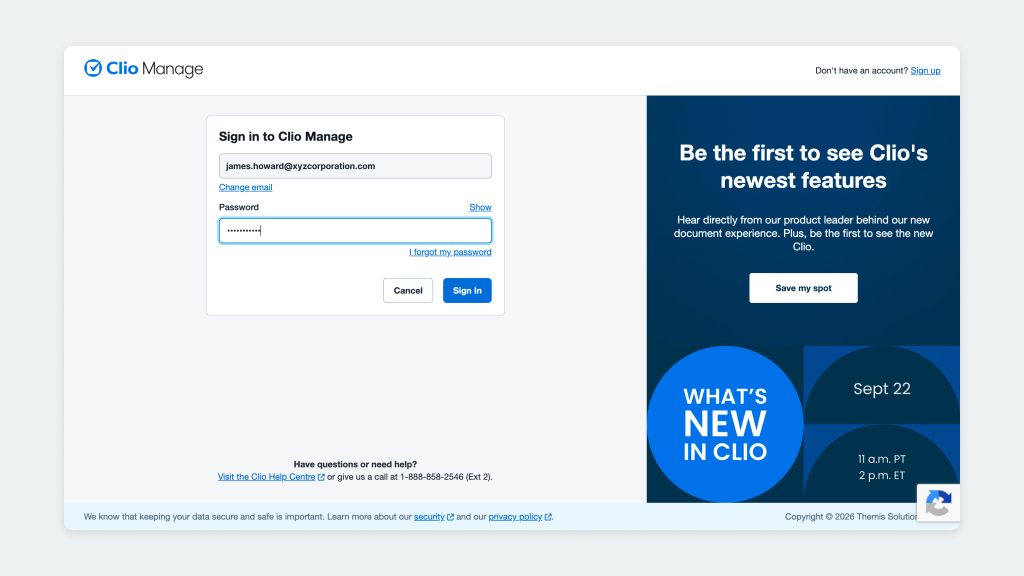
- You’ll be prompted to enter your Clio login information to continue. Press Sign In.
- Clio will show a message that the AnswerConnect app would like to access the following information from Clio. Click Accept.
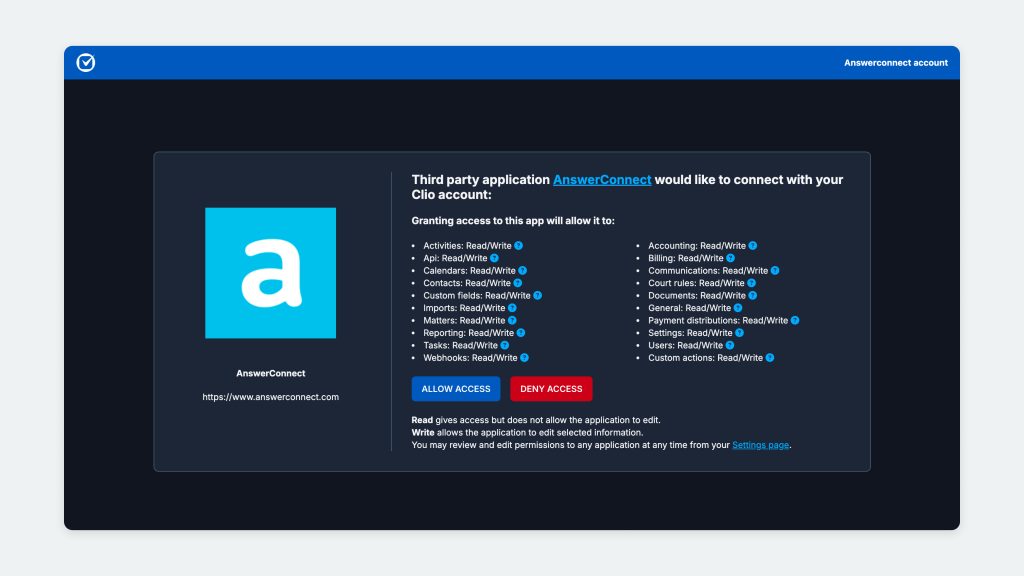
- Now that you’ve connected your Clio account, you’ll be returned to the setup in your Setmore account. Head to the Connect tab. We recommend that you rename the connection, then click Continue.

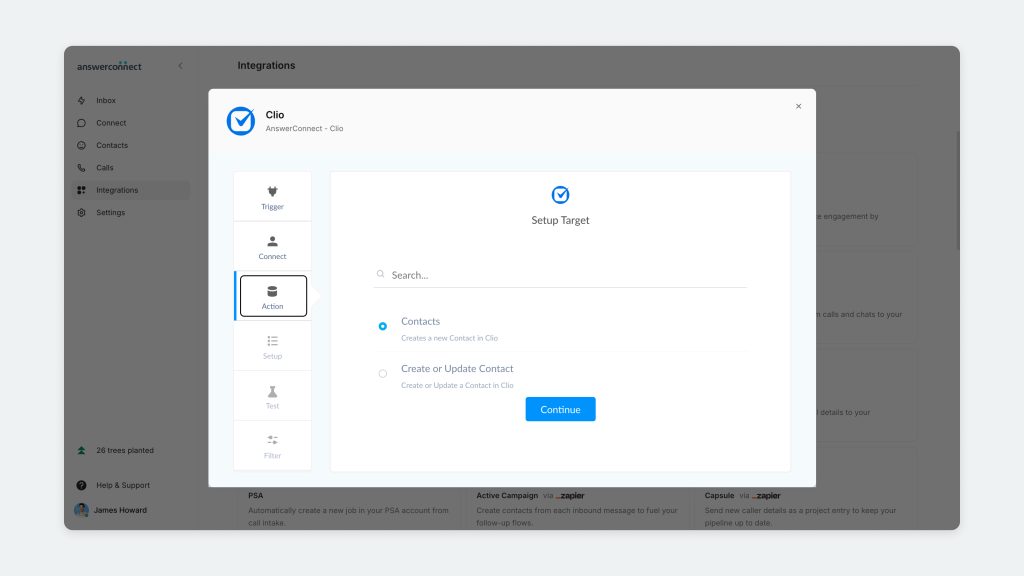
- In the Action tab, click Contact and Continue.
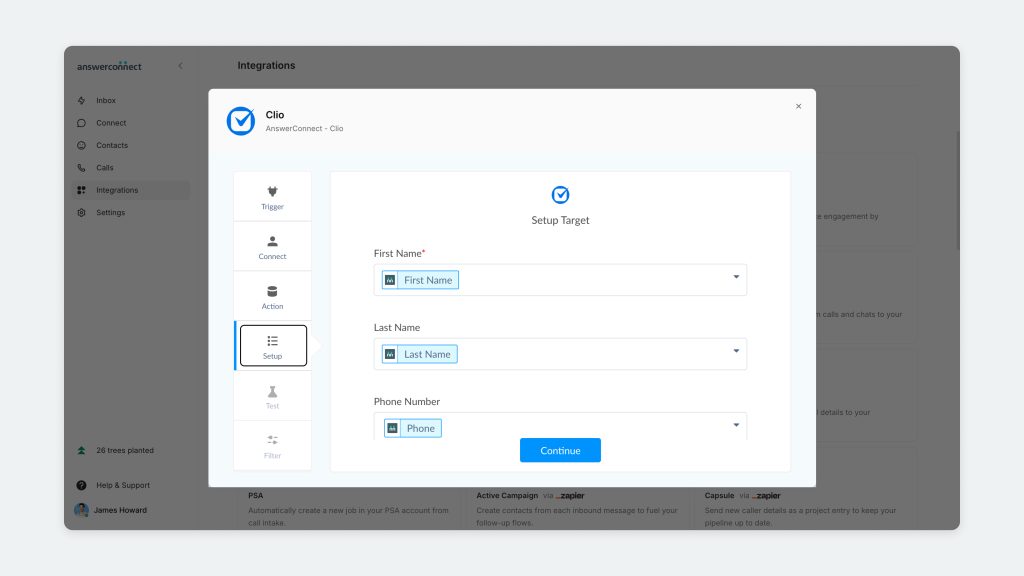
- In the Setup tab, you can add the contact fields that will be transferred from AnswerConnect to your Clio account. After mapping, click the Continue button at the bottom of the screen to proceed.
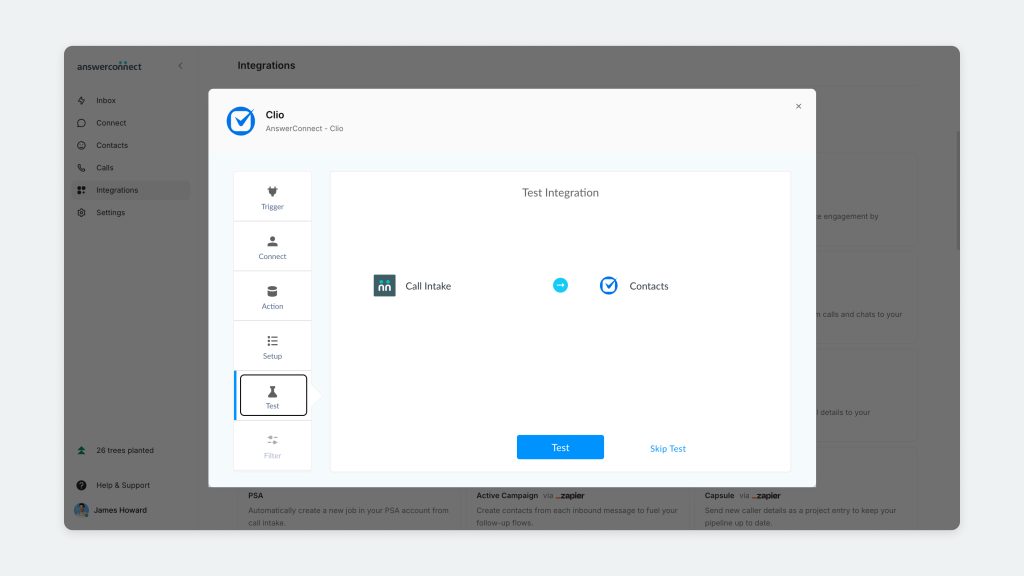
- In the Test tab, you have the opportunity to test the integration, or you can skip the test.
- Click Finish to complete the integration.
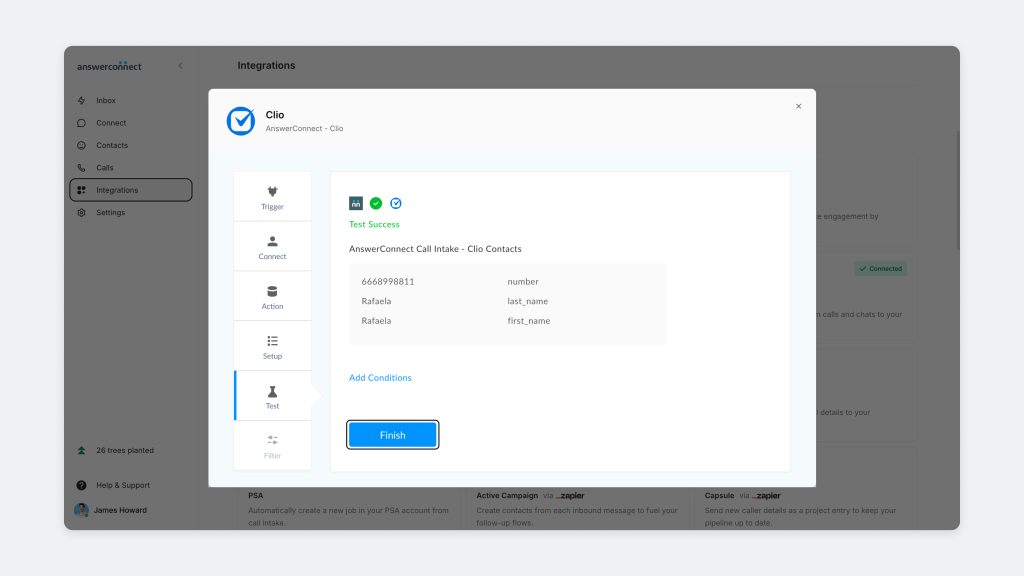
- The integration is now activated.
Alternative option: Activate the integration through Zapier
Another way you can integrate your answering account to Clio is through Zapier. Automate workflows between the two platforms based on the triggers and actions available in Zapier.
Visit the AnswerConnect and Clio integration page on Zapier to set up your integration.
Get in touch
If you have any questions or need assistance setting up your Clio integration, get in touch with our client services team – we’re happy to help.
US clients: 800-531-5828 | clientservices@answerconnect.com
Canada clients: 800-858-1625 | help@answerconnect.com