



Almost every business shares the same goal: grow. More revenue, more customers, more impact. Business growth goes hand in hand with demand. But staying on-top of that demand by being available 24/7 can feel impossible.
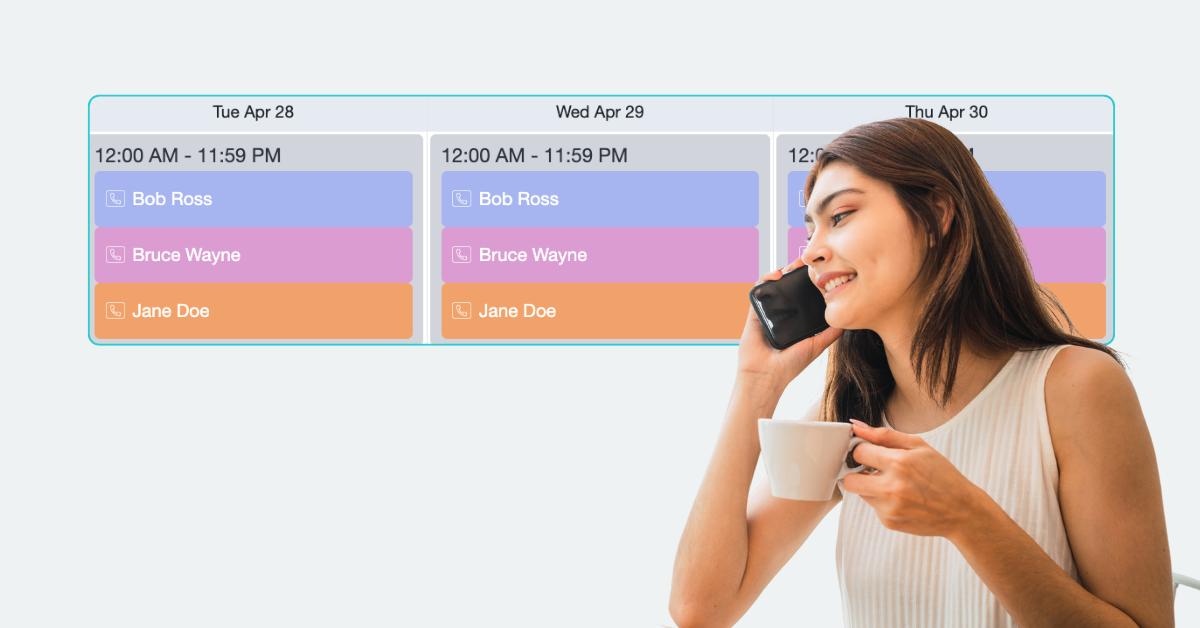
That’s where an on-call calendar comes in. Rather than every employee needing to be available after hours, you define exactly who’s responsible for handling urgent calls at any given time. Combined with a 24/7 answering service like AnswerConnect, every caller reaches a real person first, who can then transfer urgent calls to the right on-call team member based on your schedule.
Not every call comes in during business hours. Having a clear answer to “who’s picking up the phone right now?” means callers get the help they need, you capture every opportunity, and the rest of your team can switch off, knowing they’ll only be contacted when it’s their turn to be on call.
So how do you get started with an on-call schedule, and what should you know before building one? Let’s get into it.
What is an on-call calendar?
An on-call calendar, sometimes called an on-call schedule or on-call rotation calendar, is a shift rotation that outlines which team member should receive and handle calls after they’ve been answered and qualified. Instead of every phone ringing at once (or nobody’s), teams set simple routing rules so only the person currently on call is notified.
For example, a rotation might look like:
| Day | On Call |
| Monday | All calls after 5 pm route to William D. |
| Tuesday | All calls after 5 pm route to Karen B. |
| Wednesday | All calls after 5 pm route to Phillip H. |
| Continued… |
If they’re unavailable, calls can automatically be routed to the next person in your on-call rotation. As schedules change, your on-call calendar can be updated in just a few clicks, ensuring calls are always routed to the right person.
The rotation gives every team member scheduled time on and scheduled time off. No guesswork, no double-booked coverage, no gaps.
How to know when your business needs an on-call calendar?
Wondering if an on-call calendar is the right next step for your business? Here are some telling signs it’s time to set up a call handling schedule:
- You’re missing calls outside business hours: If customers are calling after 5 pm, on weekends, or overnight and getting no answer, you’re likely losing business to your competitors.
- The same person is always responsible: If one team member, often the owner, is fielding every after-hours call, that’s not sustainable.
- Nobody’s sure whose job it is: If a call comes in outside normal hours and your team has to scramble to figure out who should handle it.
- You’re growing: More customers = more calls. What worked when it was just you answering your own phone stops working once you’ve got a team.
- Managing holiday cover is becoming difficult: On-call calendars are also useful for managing holiday cover, annual leave, sick leave, and unexpected absences.
- You work across time zones: They’re especially useful for businesses supporting customers across multiple states, provinces, or time zones.
If any of that sounds familiar, a simple on-call calendar template can solve it in an afternoon.

Who uses an on-call calendar? (Industry examples)
- Tradesperson: Emergency callouts can’t wait. A burst pipe at 11 pm goes to whoever answers first; if that’s not you, it’s your competitor. An on-call calendar ensures the right plumber, electrician, or HVAC engineer receives the call immediately.
- IT teams and MSPs: When a server goes down or customers are experiencing an IT emergency, you can be notified immediately. Route calls to the on-call engineer so issues can be resolved as quickly as possible.
- Healthcare practices: Patient needs don’t always wait for business hours. Give them someone to contact about urgent symptoms, prescription queries, falls, or other time-sensitive concerns, while ensuring the right clinician or on-call staff member is notified.
- Property management: Emergencies like burst pipes, power outages, lockouts, or flooding can happen at any time. An on-call rotation ensures tenants are connected with the correct property manager or maintenance contractor without delay.
- Legal firms: Some legal matters simply can’t wait until Monday morning. Whether it’s an urgent family law issue, a criminal defense inquiry, or a time-sensitive client matter, calls can be routed to the solicitor on call.
- E-commerce and retail: Order issues, shipping problems, and account questions don’t stop at 5 pm, especially when you’re supporting customers across different time zones. An on-call rotation keeps support running smoothly.
- Small businesses: As your business grows, after-hours responsibility shouldn’t always fall on the owner. Rotate on-call duties fairly across your team while ensuring customers can always reach someone who can help.
Benefits of an on-call rotation:
On-call schedules benefit not only your team but also your customers. When you have a streamlined solution in place, customers are happier, and teams are more rested:
The benefit to your customers:
- Faster response times. Calls route straight to the right person instead of bouncing around or going to voicemail.
- Better customer experience. Callers reach a real person who can help, at 2 pm or 2 am. They feel valued at every hour.
- Convenience: Customers don’t have to squeeze time in their busy 9-5 day to get in touch with you. Whenever they need, they can pick up the phone and get a response.
The benefit to your team:
- No more single point of failure. Coverage doesn’t depend on one person always being available.
- Fewer missed calls. Every hour of the day has a named owner, so calls don’t fall through the cracks.
- Fair, predictable workload. Team members know exactly when they’re on and when they’re off, instead of feeling “always on.”
- Better reputation: Consistent, responsive service builds customer trust. You’ll win more business through your fast, professional support.
Combine an on-call schedule with a 24/7 answering service for business success: Hear how other businesses are benefiting.
What to look for in an on-call calendar: The ultimate checklist.
There are many on-call scheduling solutions available, but not all are created equal. Before choosing the right option for your team, consider:
✔️ How easy is it to update schedules?
Your team’s availability can change quickly. Look for a solution that makes it simple to update schedules, add team members, and make changes when needed.
✔️ Are there flexible routing rules?
A reliable on-call system should ensure calls don’t stop at the first point of contact. If someone is unavailable, can the call be automatically escalated to another team member?
✔️ How many team members can you add?
Consider how your business may grow over time. Is adding new team members or numbers simple and affordable, or does the cost quickly increase?
✔️ Does it work with your existing call handling?
Your on-call calendar should fit seamlessly into your current processes, helping calls reach the right person without creating extra work.
✔️ Is it reliable?
When a customer needs support, there’s no room for missed handovers or failed connections. Choose a solution you can trust to keep calls moving.
✔️ What else does the service offer?
An on-call calendar helps organize your team, but having reliable backup support can make all the difference. With AnswerConnect’s 24/7 live answering, your customers are always looked after, whether calls are handled by your on-call team or our professional receptionists.
Set up your on-call calendar today.
With on-call calendars included in every AnswerConnect plan, you can ensure calls always reach the right person. When your team can’t answer, we’re here to provide professional, human support around the clock.

Existing customers? Check out our guide to creating an on-call calendar, or contact our client services team; we’re happy to help.
- US clients: 800-531-5828 | clientservices@answerconnect.com
- Canada clients: 800-858-1625 | help@answerconnect.com
Frequently asked questions.
There isn’t one. The terms on-call calendar, on-call schedule, and on-call rotation are often used interchangeably. They all describe a system for assigning after-hours call responsibilities to specific team members.
Start by deciding who should be available outside business hours and when. Assign each team member specific shifts, communicate the schedule clearly, and use call routing tools to ensure calls are automatically directed to the correct person. As your business grows, review and adjust the rotation regularly to keep workloads fair.
A good on-call system shouldn’t rely on a single person. With AnswerConnect, calls can automatically escalate to the next person in your on-call rotation if the first team member is unavailable. This helps ensure urgent calls are never left unanswered.
Yes. On-call calendars aren’t just for large organizations. They’re particularly useful for growing small businesses, where after-hours responsibility often falls on the owner. A simple rotation helps share the workload while ensuring customers can always reach someone when they need support.
Yes, they complement each other perfectly. An after-hours answering service like AnswerConnect answers every call with a live receptionist, qualifies the inquiry, and then transfers urgent or relevant calls to the correct on-call team member based on your schedule. If no one is available, calls can be escalated or handled per your instructions.
On-call calendars are commonly used by healthcare providers, IT teams, and managed service providers (MSPs), property management companies, legal firms, tradespeople, veterinary practices, security companies, and any business that needs to respond to customers outside normal business hours.