

You can update your billing contact information in a few simple steps. The primary billing contact will be the person who receives your monthly invoice and all other billing communications. This includes usage alerts, any issues with payments, payment-successful emails, and more.
For a person to become the main contact for your billing information, they must first:
- Be added as a team member in your AnswerConnect account. See how to add team members here
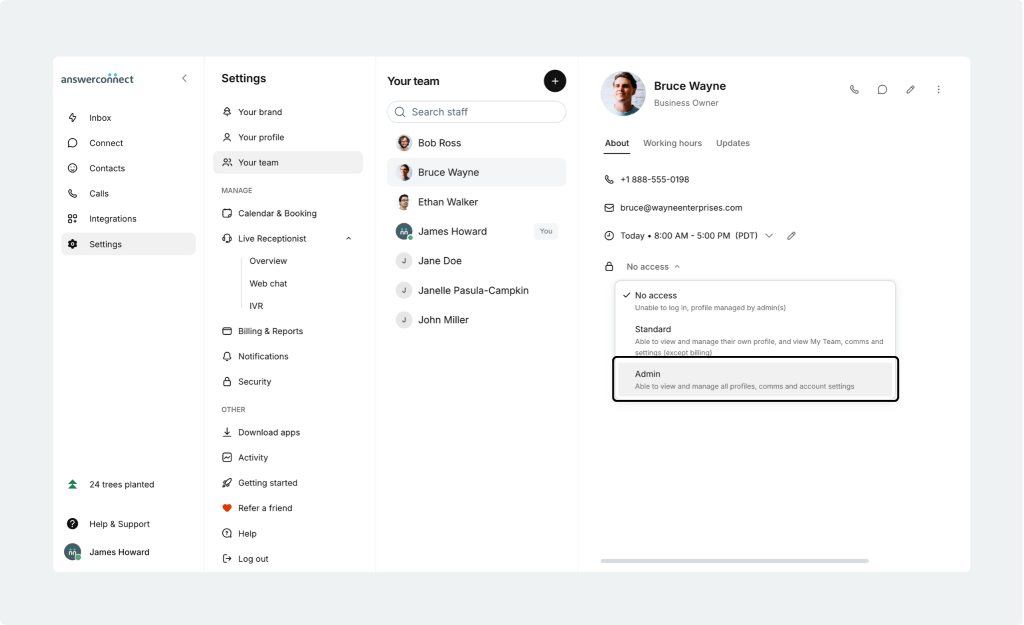
- Be an account admin for your AnswerConnect account. Only admins can grant admin access to other team members. To do this:
- Log in to the AnswerConnect app
- Select Settings from the left navigation menu
- Click Your Team
- Select the name of the team member you’d like to make admin
- You will see a padlock icon, showing you what type of access they currently have. Press the drop-down menu to update their access.
Once the above steps are completed, you can update your billing contact information:
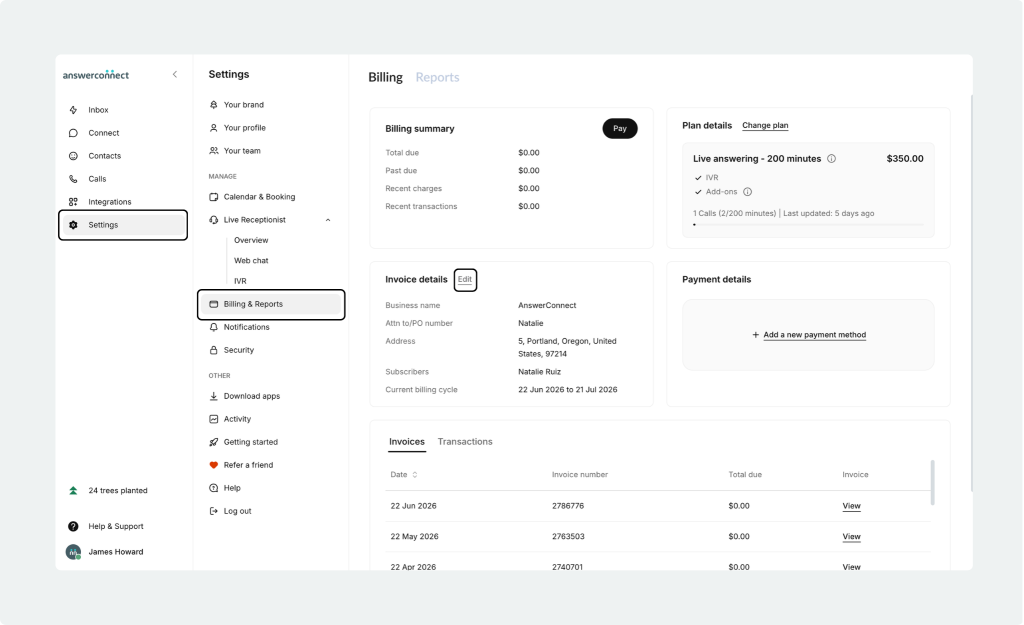
- Log into the AnswerConnect app
- Select Settings from the left navigation menu
- Click Billing & Reports
- Select the Edit button beside Invoice Details
- Type the name of the person you’d like your billing information to go to in the Subscribers bar

Any questions? Get in touch with our client services team.
- US clients: 800-531-5828 | clientservices@answerconnect.com
- Canada clients: 800-858-1625 | help@answerconnect.com